

Easy to purchase
1.FIND LYONSENS MORE EASILY BY DOING THESE STEPS
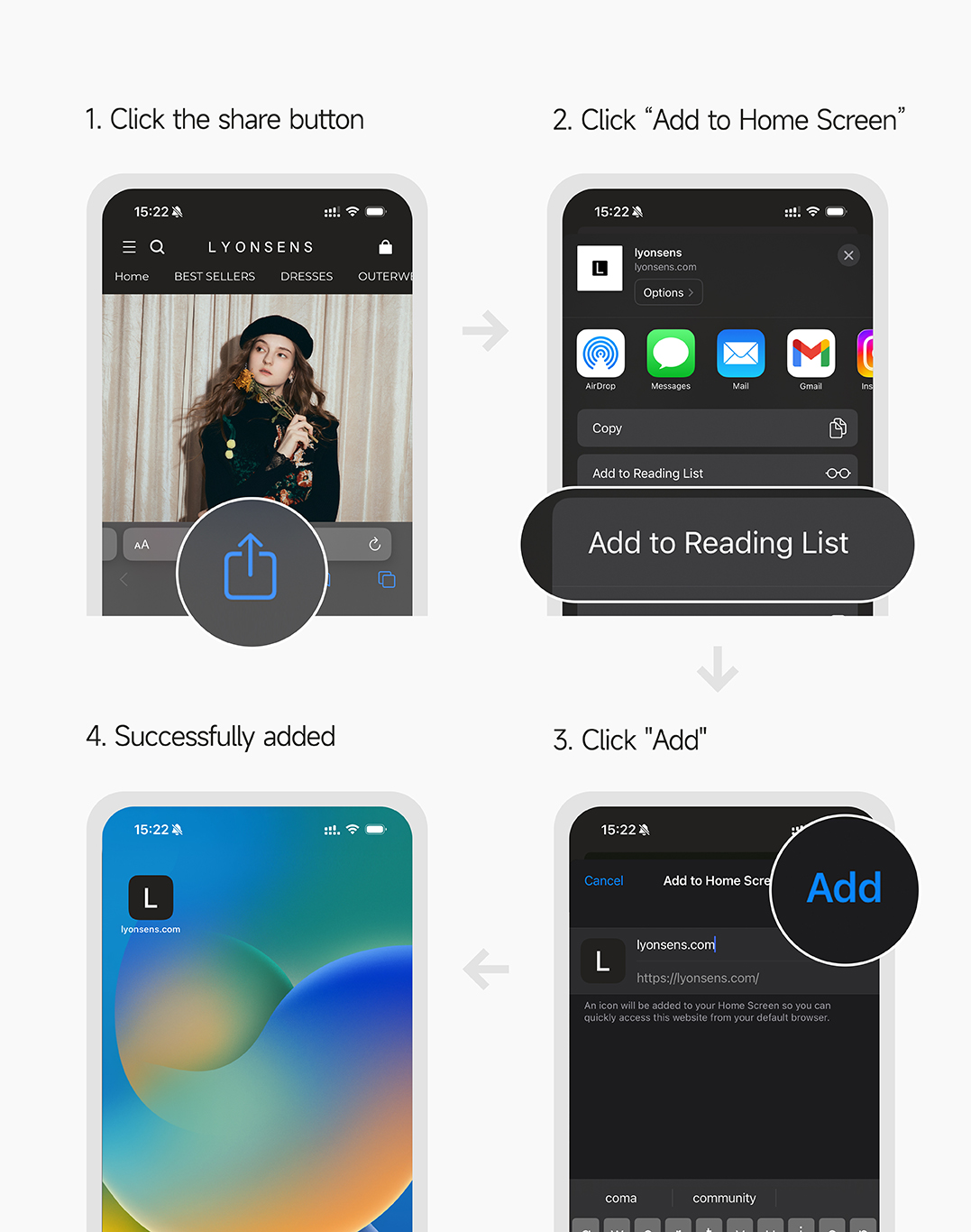
1. Click the share button View LYONSENS page, click the share button at the bottom of the page.
2. Click“Add to Home Screen" On the pop-up page, click “Add to Home Screen”
3. Click"Add"
4. Successfully added LYONSENS has been successfully added to the homescreen! You can quickly access LYONSENS from yourdefault browser.
2.CREATE AN ACCOUNT OR LOG IN
If you have not registered successfully and purchased as a guest, you will not be able to check the order
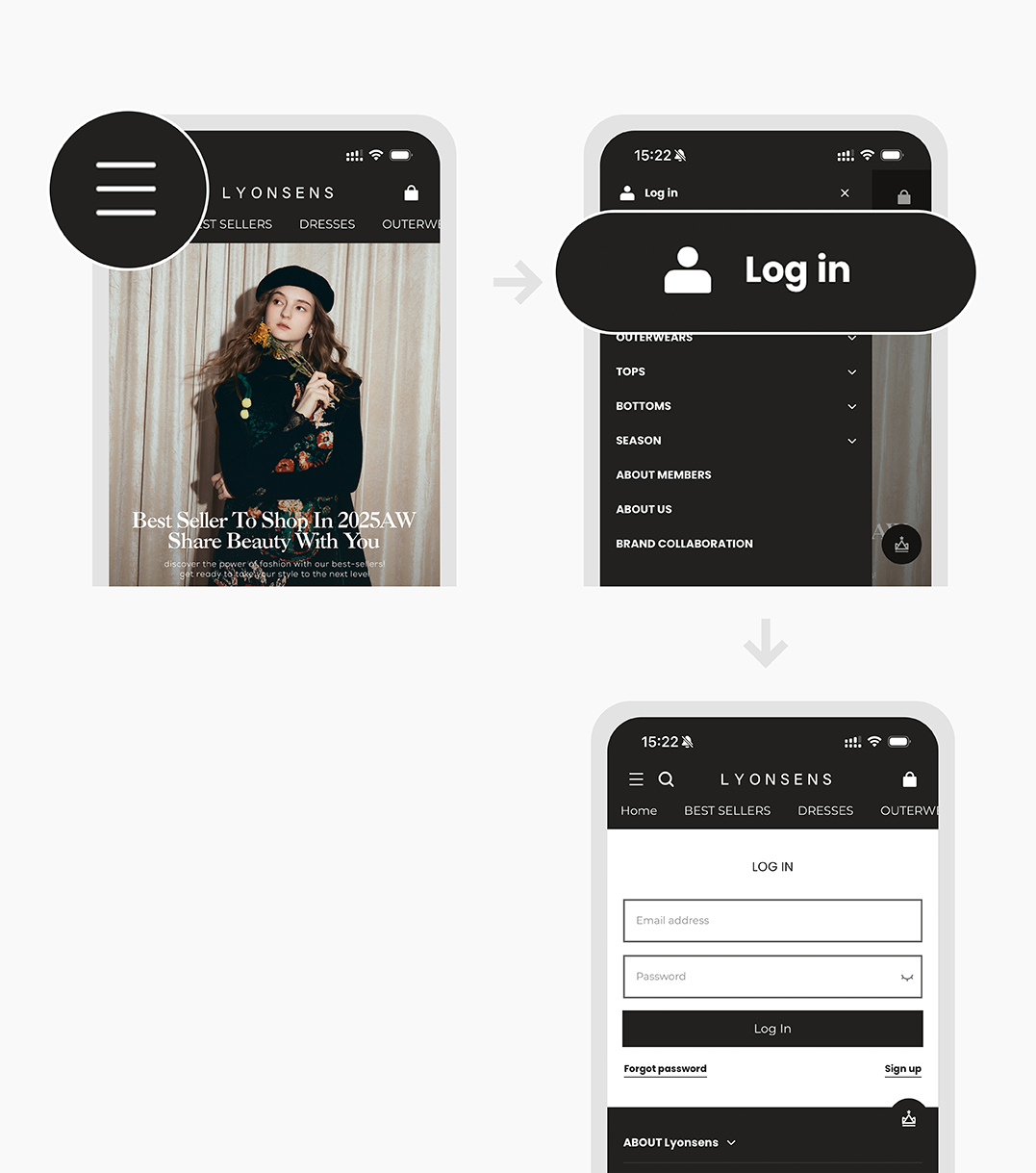
1.Find the sidebar entry on the top of the page.
2.If you are a new user, click the ‘Sign Up’ button and create a new account; if you already have an account, click the ‘Sign In’ button.
3.ADD YOUR CHOSEN ITEMS TO CART
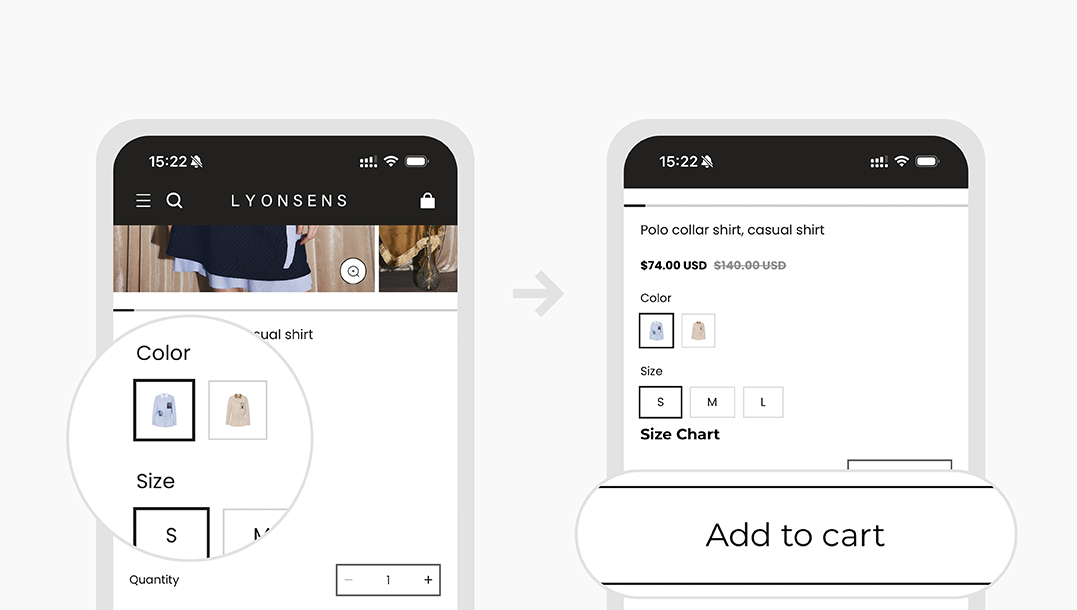
1.Choose size and color according to individual needs.
2.Click on the ‘ADD TO CART’ button.
4.AFTER CHOOSING YOUR ITEMS, PROCEED TO PURCHASE
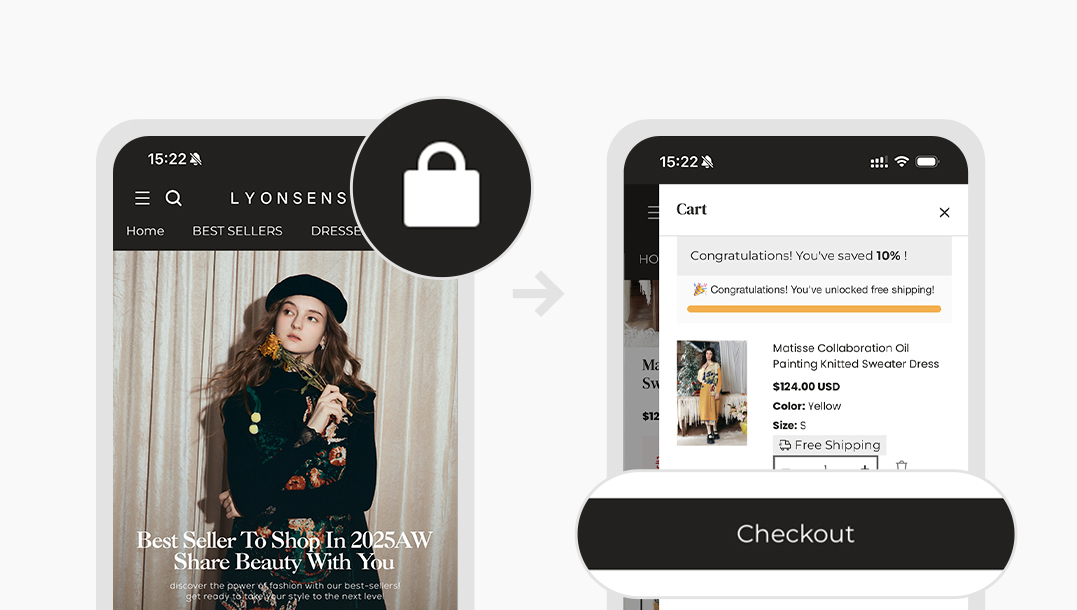
1.Click the ‘View Cart’ button to view the chosen items and modify them if necessary.
2.If you are ready to place your order, click the ‘Checkout’ button, If you want to choose more items, click ‘Continue shopping’ button.
5.PROCEED TO CHECKOUT AND ADD YOUR SHIPPING AND PAYMENT DETAILS.
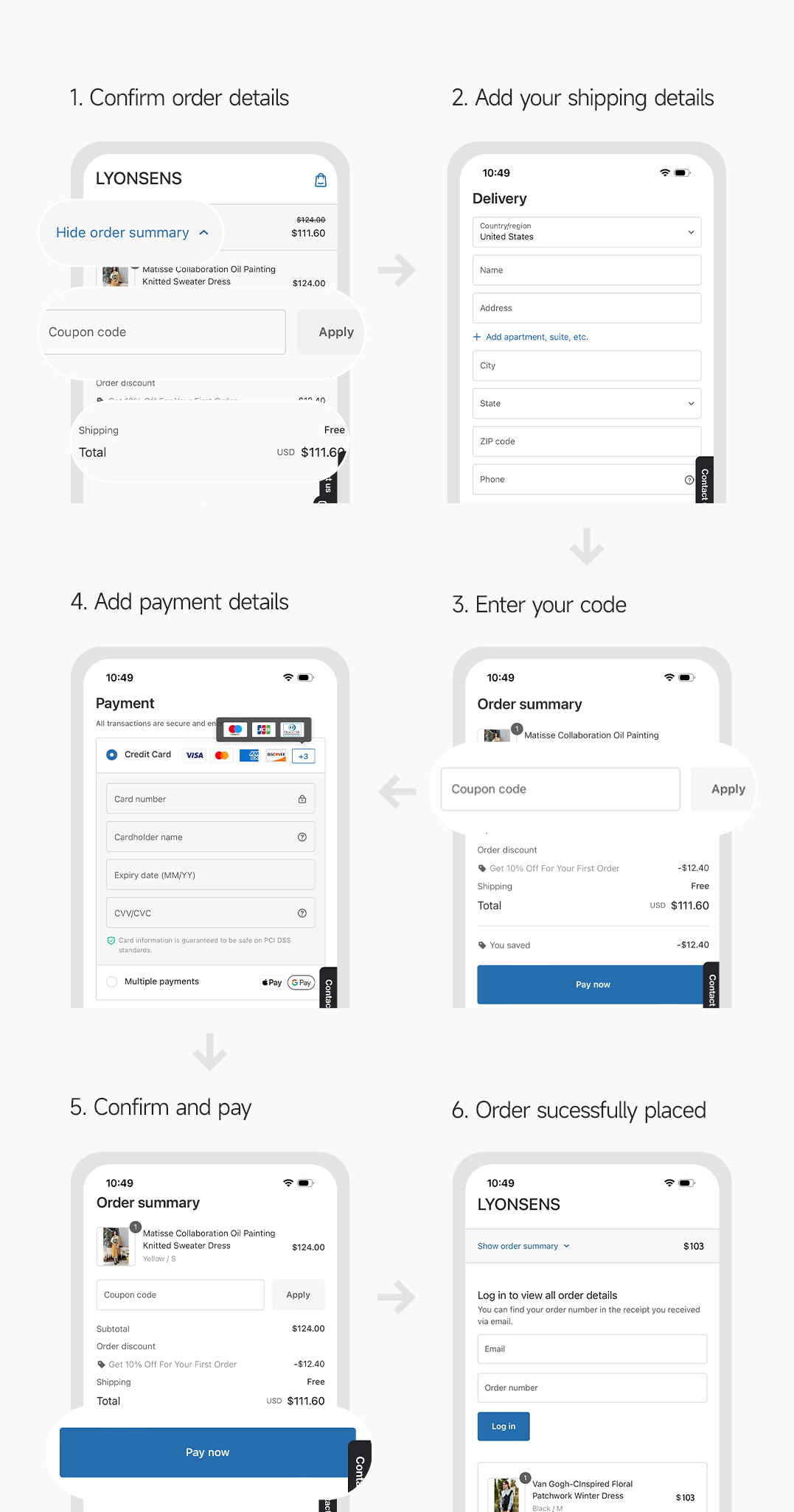
1.Confirm order details
Confirm the order detailsand confirm whether to use points or coupon codes.
2.Add your shipping details
Add your shipping details. (For Korean customers, please fill in the address and name in Korean, and be sure to fill in the PCCC number.)
3.Enter your code
Choose payment method and add your payment details.
4.Add payment details
If you have a discount code available, please enter it here. if not or already used it when confirming the order details, please skip it.
5.Confirm and pay
Confirm your order and pay.
6.Order sucessfully placed
The order is successfully placed, we will try our best to make your order arrive as soon as possible!